
 |
!! Please select country!!
Created: 28 Jun 2007
Last Updated: 14 Sep 2007
|
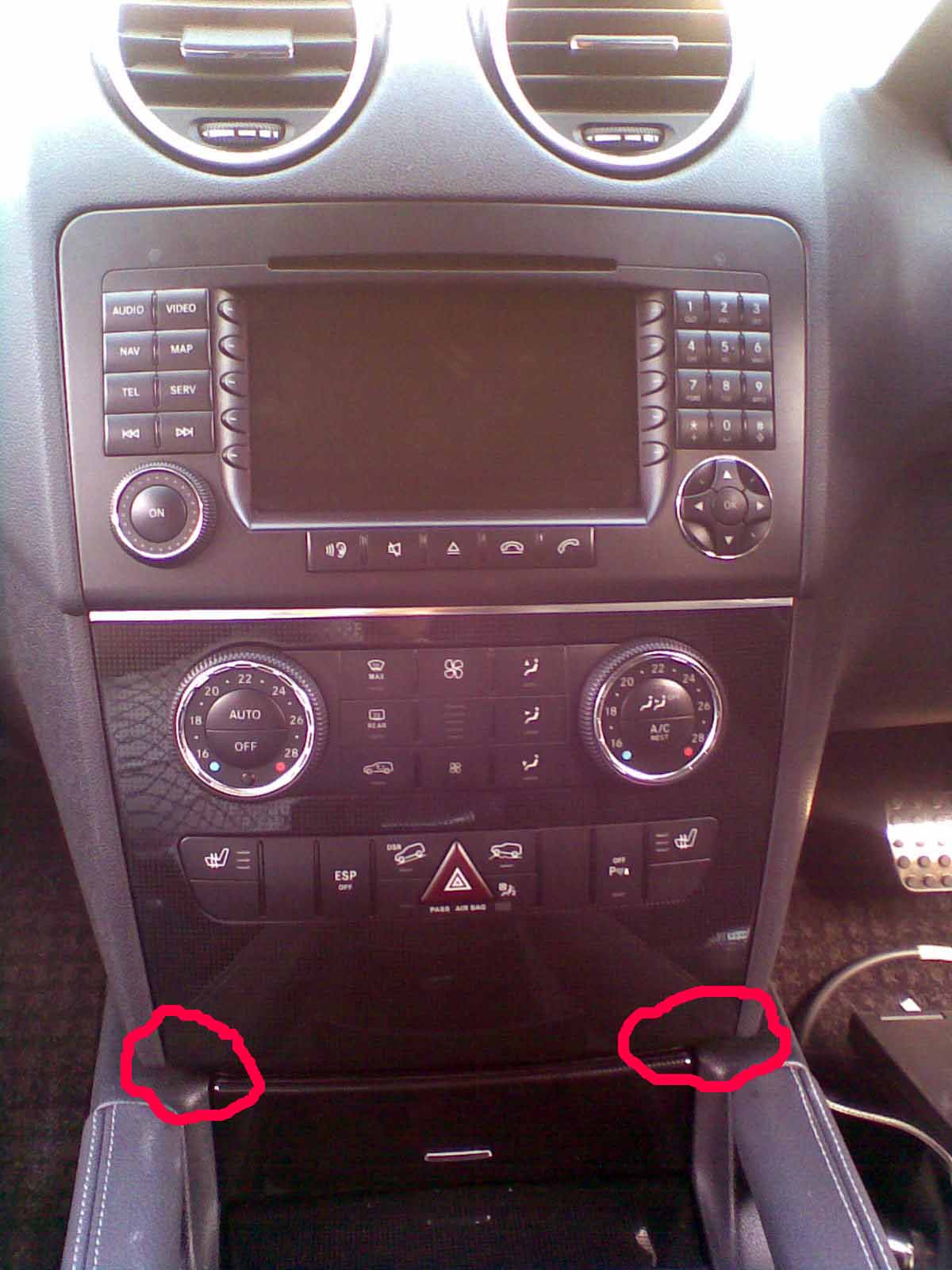
This is a quick guide to removing & re-installing the COMAND or Audio head unit in the ML (new, W164) or GL. This is a very simple process ! Firstly remove the whole panel below COMAND with the aircon and other buttons - this is done by opening the ash-tray, and putting 2 fingers below the panel on each side, pushing upward to release the latches and pulling hard. Here is a picture showing where you are pulling once the ashtray is open.
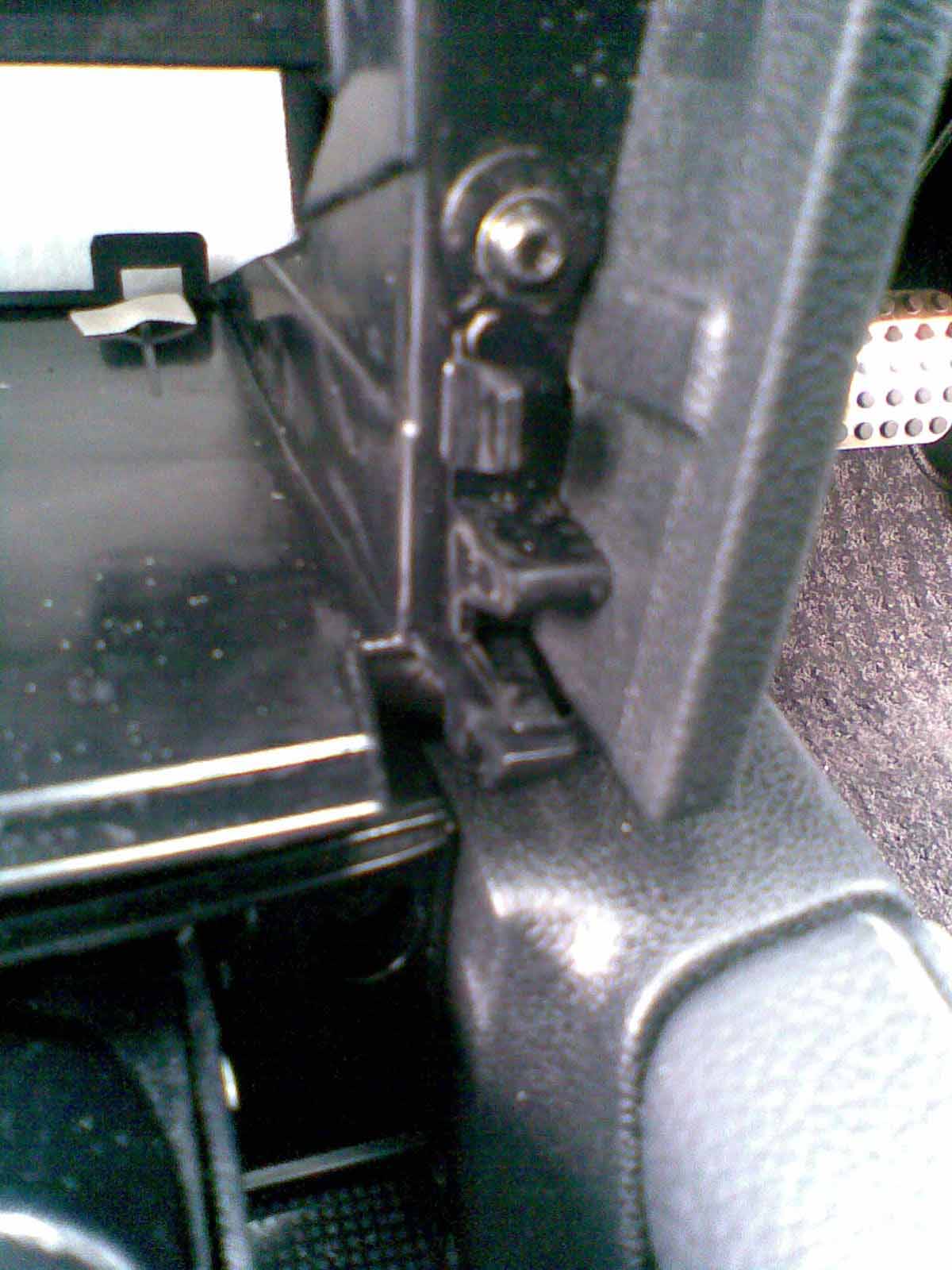
The picture below shows one of the latches that your fingers are pushing upwards - there is one at each side
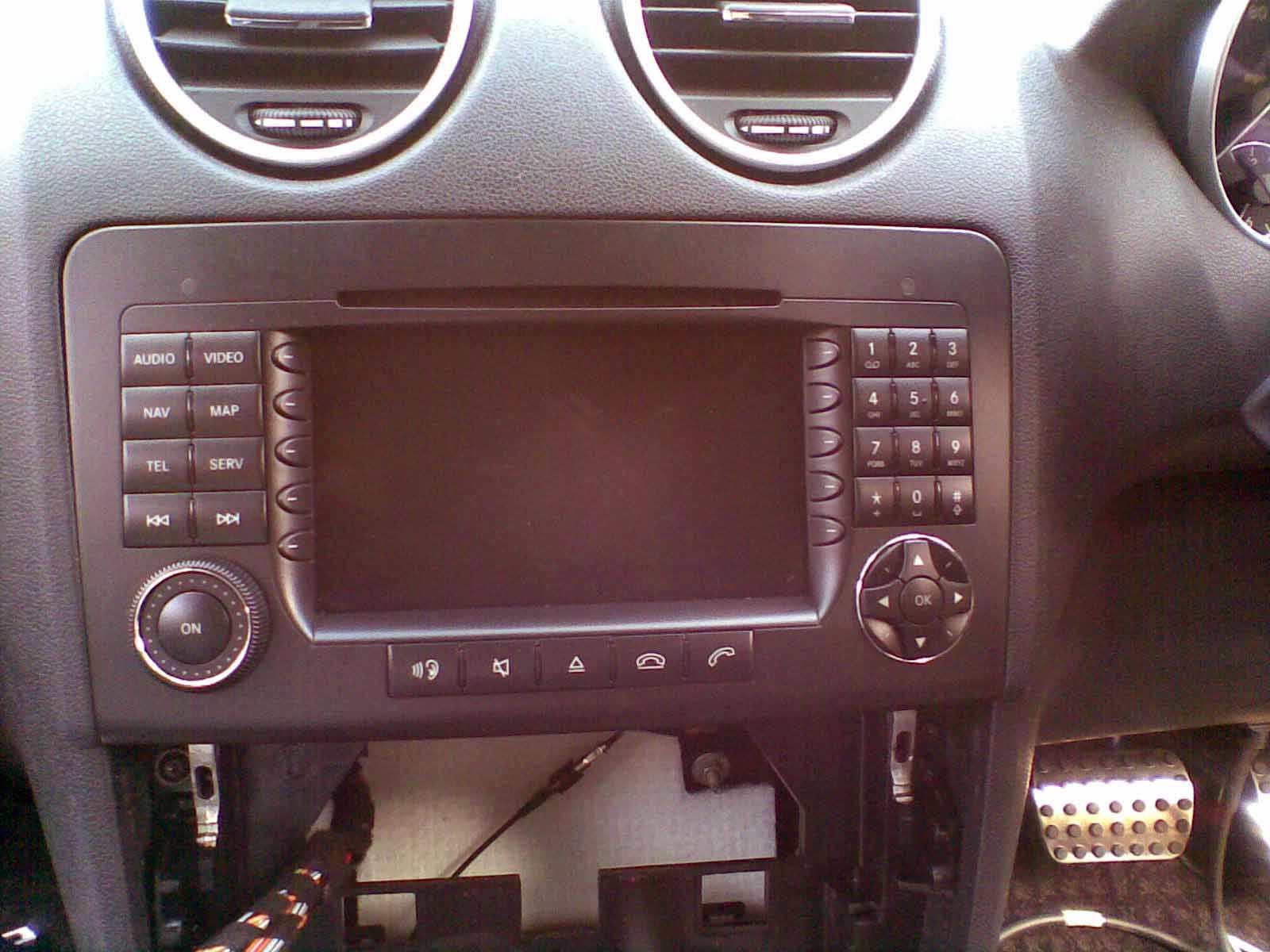
You then see two silver bars below the audio head unit - remove the 2 TORX screws, silde them downward, and then you can remove the head unit. Here is a picture with the screws removed and the locking bars moved downward.
Install is reverse of removal !
|
If you found this information useful, please support the site by making a donation via Paypal. Any amount at all helps me improve the information on the site. |
Comand Online Ltd - the place to buy Mercedes iPod kits, phone kits, retrofit parts & map disks MY AUTOCAR - THE BEST PLACE TO TALK CARS |


