 |
!! Please select country!!
Created: 14 Aug 2008
Last Updated: 13 Jun 2009
|
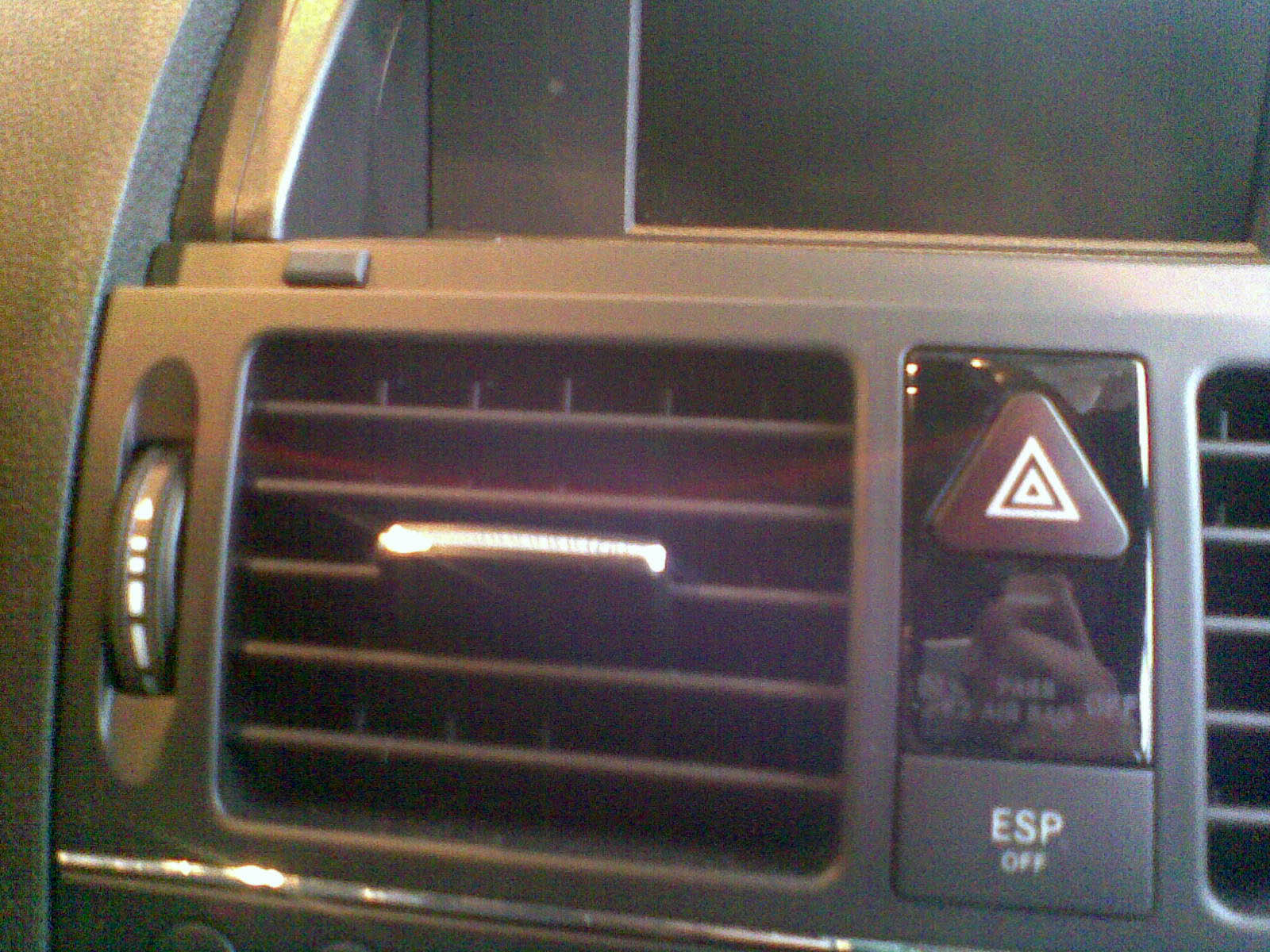
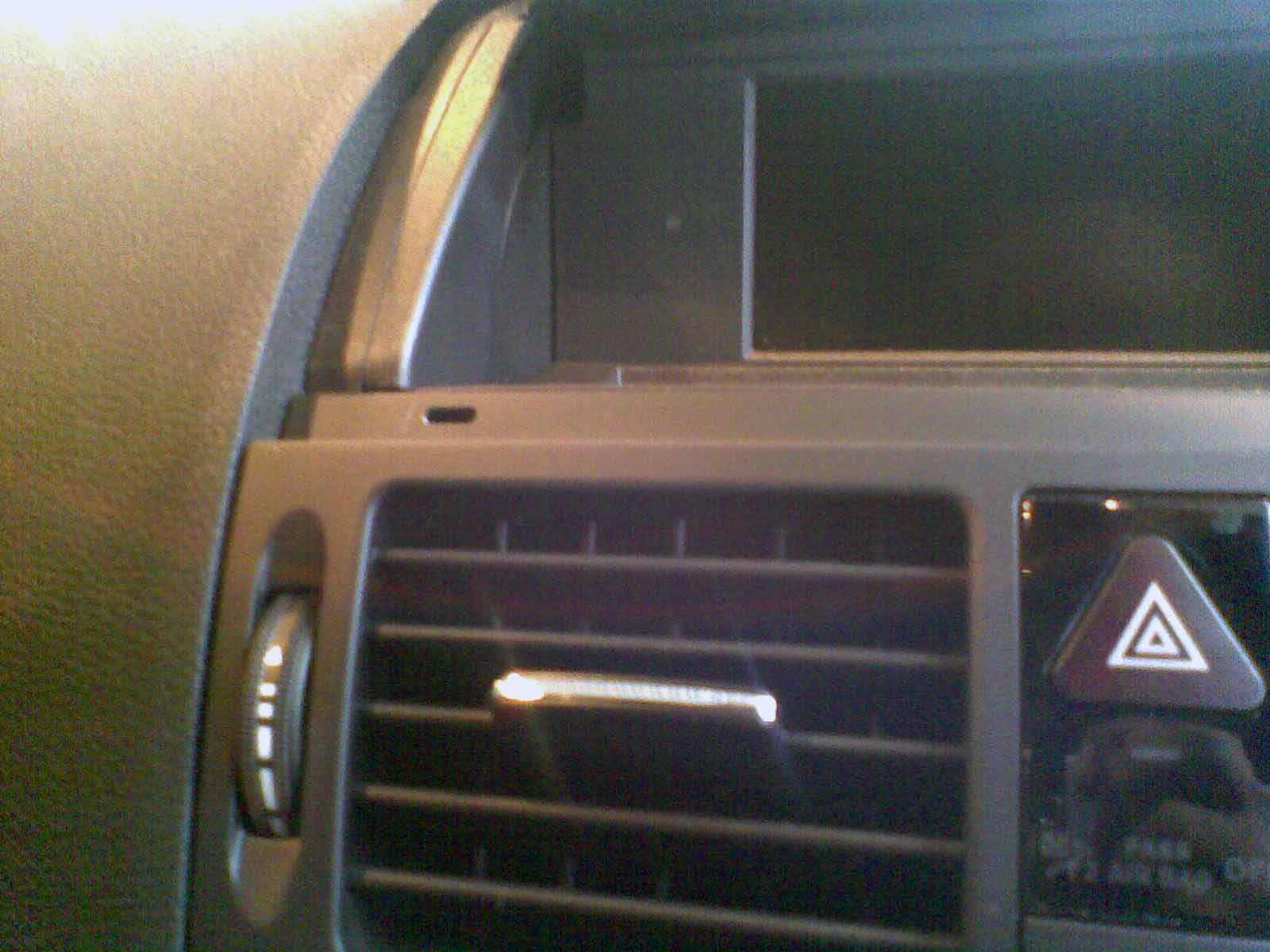
a) Remove air vents This is done by opening the display section -look at where the display section meets the top of the vents, you may have to peel up the front of the display plastic which is stuck to the top of the vents. Then, remove the 2 rubber plugs just above the vents, which act as bump stops for the display and using the mercedes hook tools, slide them in about 3-4 cm and turn them to point downward to catch on the vent (see picture below). The vent can then be pulled out by pulling hard, as it is held in with metal friction catches. Picture of rubber buffer by vent:
Buffer removed showing hole for extractor hook: -
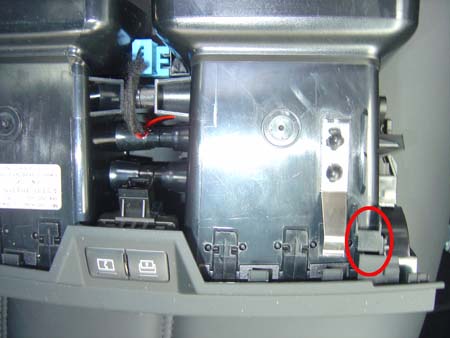
Picture showing where the pulling hooks actually hook onto the inside of the vent moulding to pull the vent out, and the silver metal friction catch (one on each side) that hold it in place:
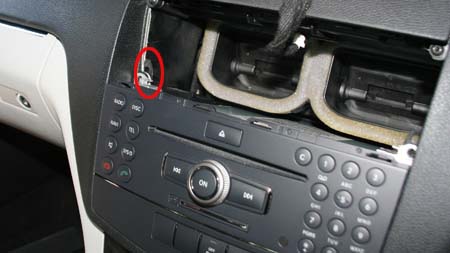
Note the positioning of the wiring that goes to the switches in the vent panel, disconnect the wiring, and fully remove the vent. b) Remove radio and lower control panel. At this point you should cover the gear knob with a cloth to protect it from damage from the bottom of the radio unit. Having removed the vents we can see the two torx screws that hold the top of the old radio control unit. Remove these and slide the black latches just behind the screws up, pull out the old radio unit far enough to disconnect the wiring to it and the lower control panel.
Be very careful of the orange fibre optic cables (if any) in the large multiway connector and the cable to the display - they are fragile and expensive. - Reassembly is the reverse of disassembly - remember to route the wires carefully so they do not get trapped behind the audio unit or the airvent panel. |
If you found this information useful, please support the site by making a donation via Paypal. Any amount at all helps me improve the information on the site. |
Comand Online Ltd - the place to buy Mercedes iPod kits, phone kits, retrofit parts & map disks MY AUTOCAR - THE BEST PLACE TO TALK CARS |


